DirectAdmin: Site Redirection

/ Home DirectAdmin DirectAdmin: Site Redirection

Overview

You may need to redirect your visitor accessing a domain to another primary domain name. Especially when you have multiple domain names referencing your primary domain name that holds your business website or eCommerce website. Site Redirection is the tool you need.
A domain name is the unique address of a website on the internet that people type into their browser to access it.

Step-by-step:

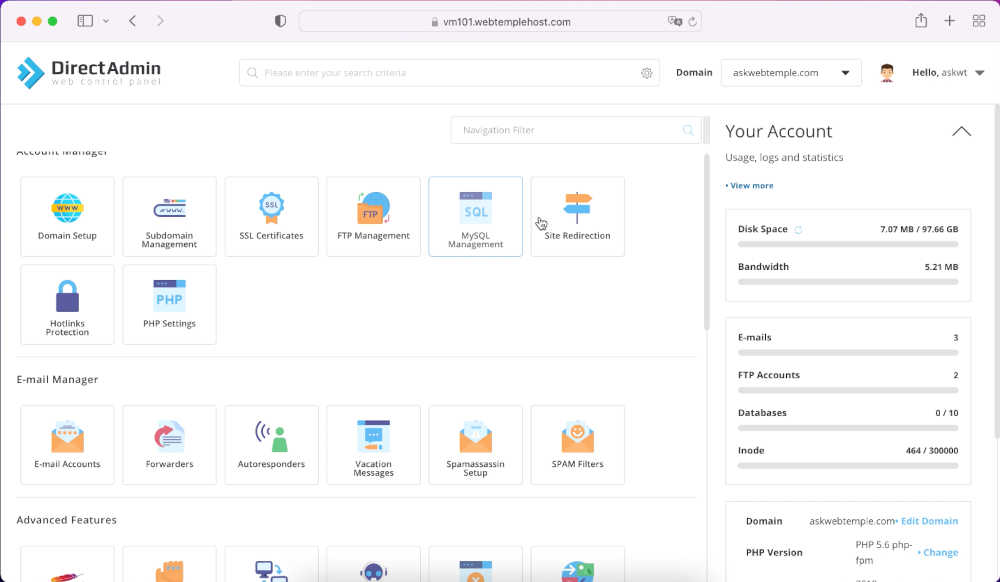
1. Please click the Site Redirection icon under the Account Manager section.

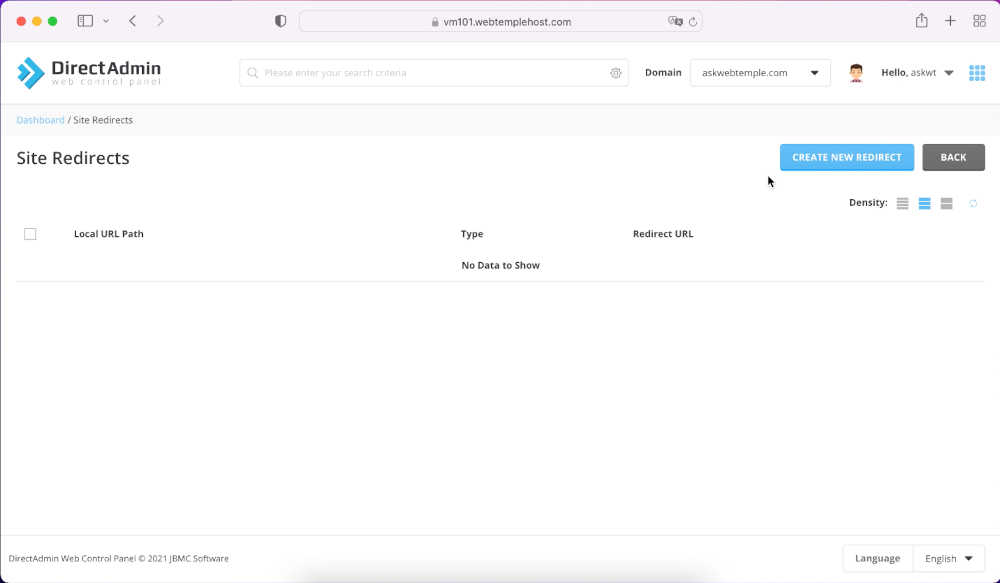
2. You're on the Site Redirection screen. Please click CREATE NEW REDIRECTION button to configure your new redirection.

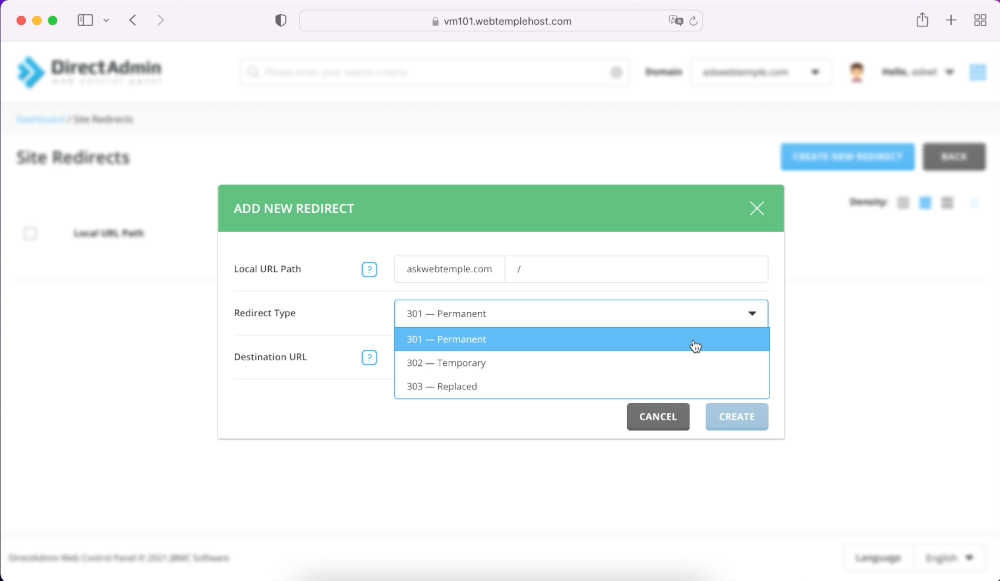
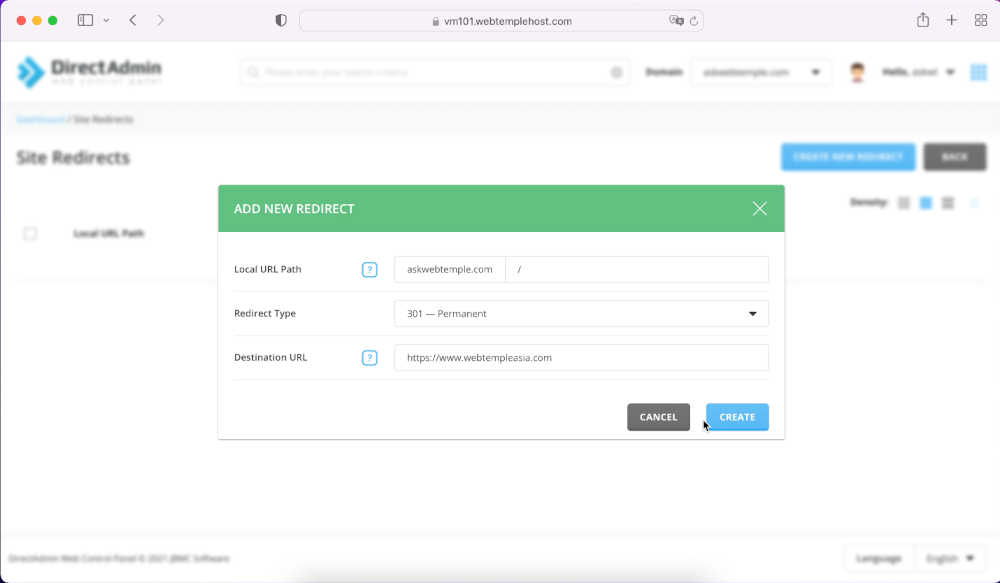
To set up your new site redirection, please enter the followings fields:

1. Local URL Path: The source or point where the site redirection starts.

2. Redirection Type: Types of redirection options. For more information on how one is different from another, please kindly Google.

3. Destination URL: The domain name where your visitors will redirect to.

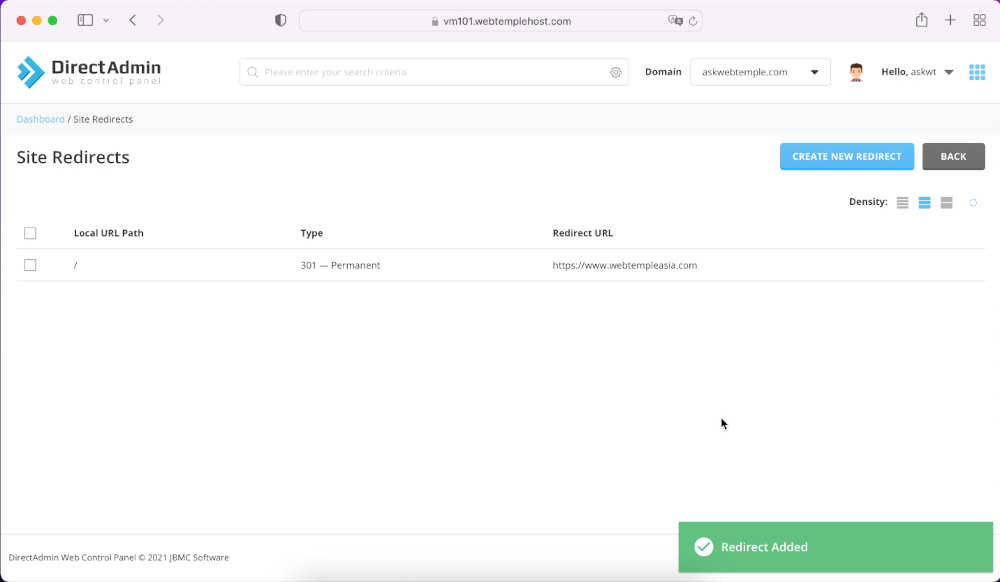
Once you’ve filled up the necessary, please click CREATE button to create your new site redirection.

Site redirection has been successfully configured, you may test and verify it.

Share On:

Related Posts